ב״ה
04 · Service

Live streaming

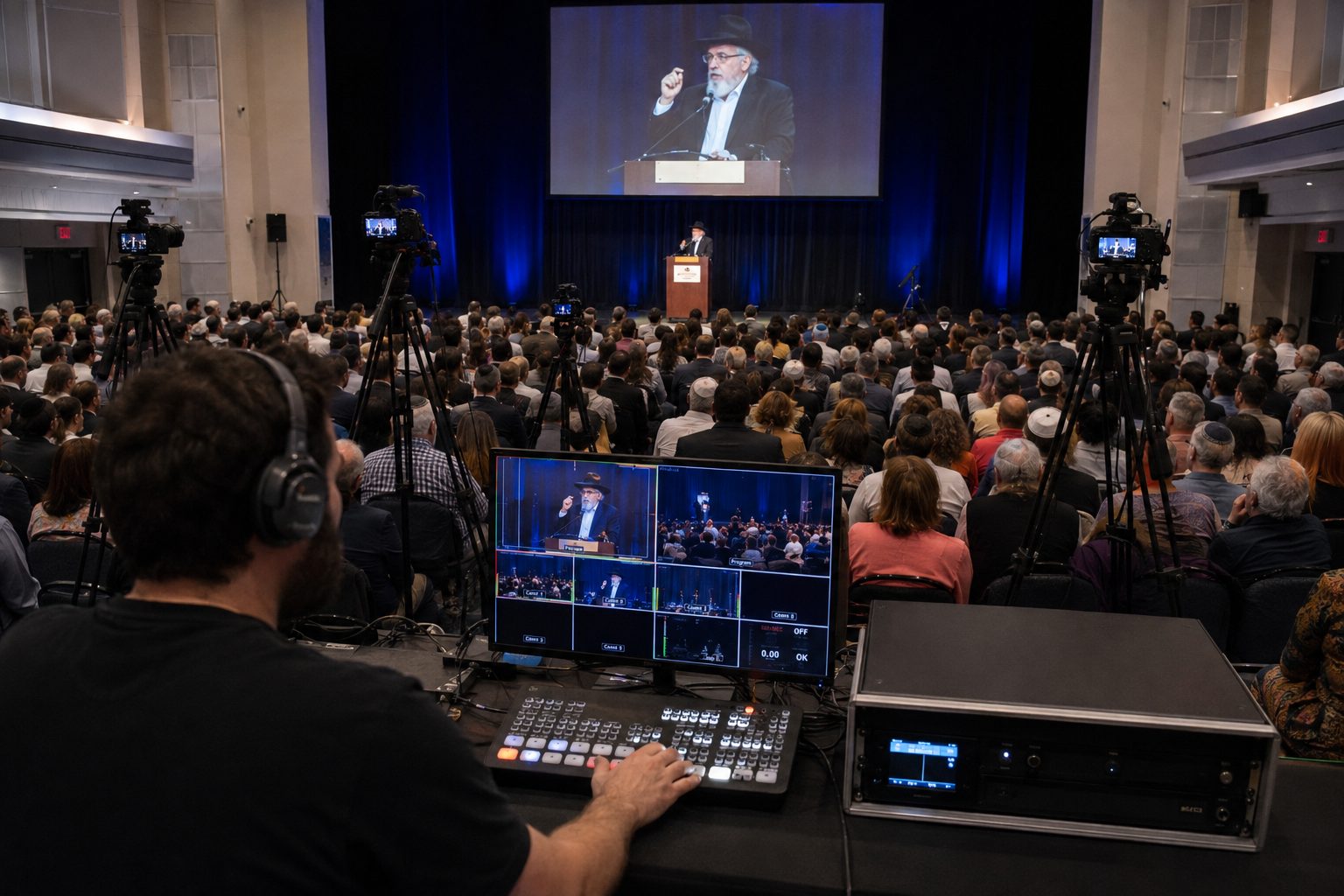
We run a multi-camera broadcast with live direction: the picture is cut between shots as the event unfolds, the way it works on television. The feed goes online, to the screens in the hall, or to both at once.

ON AIR
PICK A SCENARIO ON THE MULTIVIEW
1080p · 50 fps · RTMP / SRT
Lecture, class, conference
SCN 01
● ON AIR
Lecture, class, conference
Celebration on air
SCN 02
● ON AIR
Celebration on air
Screen in the hall · IMAG
SCN 03
● ON AIR
Screen in the hall · IMAG
Regular broadcasts
SCN 04
● ON AIR
Regular broadcasts
Several platforms at once
SCN 05
● ON AIR
Several platforms at once
Contest, competition
SCN 06
● ON AIR
Contest, competition
SCENARIO 01

Live broadcast of a lecture, class or conference

A weekly shiur, a lecture or a business conference goes on air for those who cannot attend in person. The priorities are speech intelligibility and a stable feed: the sound is taken directly from the speaker's microphone rather than the camera, so the online listener hears it as clearly as the room does.

How we work
01

We break down the task

Venue, format, platform, who will watch and from where. That determines the number of cameras and their positions.

02

We test the connection

The internet at the venue is tested in advance. If the channel is not enough we bring a backup so the broadcast does not drop.

03

We rig and rehearse

Cameras and the switcher are set before the guests arrive; shot changes are run through and sound is checked on every channel.

04

We run the broadcast

Live direction from beginning to end. After the event the recording is handed over.

Not a broadcast but an edited film for publication — a concert, an interview or a podcast?
Multi-Camera Video →
Contact

Tell us about your event

Write what you need and when — we'll come back with a solution and a quote.

The request opens in WhatsApp — you just press send.